
By Christopher Delacruz September 2, 2026
A card terminal can display “Approved” while the POS shows “Failed,” “Timeout,” or no completed sale. The dangerous reaction is to immediately run the card again. If the processor already approved the first attempt, that second attempt can create another authorization—and potentially another captured charge.
Good POS duplicate charge troubleshooting starts by treating that conflicting result as an unknown payment state until someone verifies what actually happened. Never assume “POS failed” means “payment failed.” A communication problem can occur after the authorization has already succeeded.
The key distinction is:
Terminal Message ≠ POS Message ≠ Processor State ≠ Bank Posting
Instead of asking, “What did the screen say?” staff should ask, “What transaction state does the processor or gateway show for this specific payment attempt?”
The safest operational sequence is:
Customer Attempts Payment → Terminal/Processor Response → POS Receives or Misses Response → Unknown/Conflicting State → Stop Retry → Look Up Authoritative Transaction → Match Identifiers → Decide Complete/Void/Reversal/Retry → Reconcile → Document
This guide explains how frontline staff, managers, payment teams, IT, and finance can follow that sequence without turning a communication error into a duplicate card charge.
What Does “Terminal Approved, POS Failed” Actually Mean?
When a card terminal is approved but the POS failed, the two devices or applications are reporting different parts of the payment process. That disagreement does not automatically mean either system is malfunctioning permanently, nor does it prove that the authorization failed.
A modern checkout may involve several components:
- POS application
- payment terminal
- local network
- internet connection
- terminal middleware
- semi-integrated payment application
- cloud payment API
- payment gateway
- processor or acquirer
- card network
- issuing bank
A payment request can successfully travel from the POS to the terminal, through the processor, and to the issuer. The issuer may approve the authorization and the approval can even reach the terminal. A communication break can then occur before the POS receives or successfully records that response.
The result may look like this:
POS Sends Payment Request → Terminal Sends Authorization → Processor Approves → Approval Returns → Communication Breaks → Terminal Shows Approved → POS Times Out
The business may now have a valid approved authorization but an order that still appears unpaid.
This is why a terminal POS communication error is fundamentally different from an issuer decline. A decline gives the merchant a known transaction outcome. A lost or delayed response creates uncertainty.
Authoritative gateway documentation illustrates this risk. Adyen, for example, documents situations in which a request timeout can occur while activity continues on the payment terminal and recommends a transaction-status request rather than assuming the financial result from the timeout alone.
A useful internal overview of how integrated payment functionality connects POS operations and payment processing is also available in this discussion of embedded payments and POS operations.
Why Can the Terminal and POS Disagree on Transaction Status?
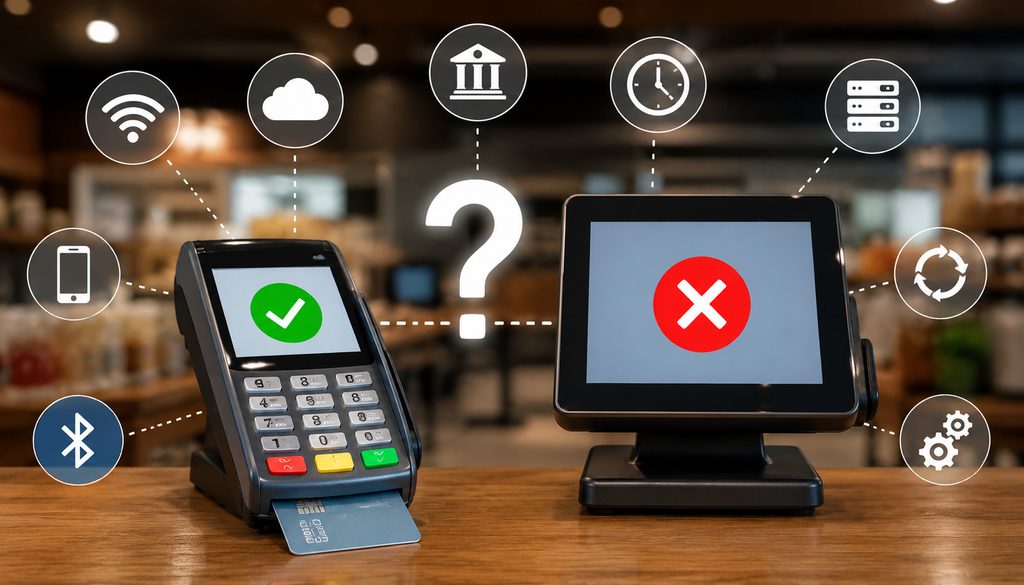
The terminal, POS, gateway, and processor do not necessarily receive or record an event at exactly the same moment. Each component can have its own connection, timeout logic, message handling, and transaction database.
One common sequence is a network interruption after authorization. The processor has approved the request, but the response returning to the POS is lost. Another possibility is that the payment terminal receives the processor response while the local service connecting the terminal to the POS stops responding.
Other safe, ordinary causes include:
- POS application timeout
- terminal-to-POS communication loss
- internet interruption
- local network instability
- gateway response delay
- middleware failure
- POS application crash
- integration service restart
- delayed webhook or callback
- duplicate or late response that the POS fails to map
- POS database update failure
- incorrect relationship between the payment attempt and POS order
- browser or user-interface timeout while server-side processing continues
Mastercard’s current transaction-processing rules explicitly recognize technical failures around authorization communications and include reversal requirements in applicable timeout situations. That is important evidence that payment networks themselves distinguish a communication failure from a simple assumption that no authorization occurred.
Unknown Does Not Mean Declined
A payment status unknown result is not the same thing as a decline. It means the merchant lacks sufficient information at that moment to determine the final state.
A well-designed workflow should classify such a transaction as:
Unknown / Requires Verification
rather than:
Failed / Retry Immediately
Consider a $92.40 retail purchase. The terminal displays Approved, then the POS shows “Payment timeout.” If the cashier immediately submits another $92.40 authorization, the customer might now have two approvals associated with one intended purchase.
The first might ultimately be captured. The second might also be captured. Alternatively, one could remain only as a pending authorization. Until the merchant performs a payment authorization lookup, staff cannot reliably know which situation exists.
That is why a payment timeout retry decision should be based on verified transaction state, not on one timeout message.
Adyen’s transaction-status documentation specifically recommends automatically checking transaction status whenever an integration fails to receive a transaction response. That design principle applies broadly even though the exact lookup method varies by provider.
What Staff Should Do Immediately Before Retrying
The first minutes matter most. Employees do not need to understand card-network message specifications, but they do need a reliable procedure.
Use this frontline workflow:
- Stop before retrying.
- Keep the customer at the checkout if practical.
- Preserve the terminal receipt or reference information.
- Record the POS order or check number.
- Review POS payment history.
- Search the gateway, processor, or approved merchant transaction portal.
- Match the original attempt using several identifiers.
- Determine whether it is authorized, captured, reversed, voided, declined, or still unknown.
- Retry only when the original attempt is confirmed unsuccessful or has been safely resolved under the provider’s procedure.
- Document the incident.
The staff rule should be easy to remember:
If the terminal says approved but the POS does not confirm completion, do not immediately tap, insert, swipe, or key the card again. Verify the original payment first.
This principle protects the customer and the merchant. It also gives support teams a cleaner transaction history to investigate.
The “Do Not Retry Yet” Rule for POS Duplicate Charge Troubleshooting
The strongest POS duplicate charge troubleshooting control is often behavioral rather than technical: employees must understand that a failed POS screen does not authorize another charge by itself.
Suppose a restaurant payment for $64.20 produces an approval on the terminal, followed by “No response” on the register. Re-presenting the card may create a second authorization before anyone knows whether the first one is valid.
Instead, mark the check as requiring payment verification. Obtain the approximate timestamp, amount, card last four, terminal reference, authorization code if displayed, and POS check number. A manager or payment support employee can then conduct an authorization lookup through the appropriate system.
If the first transaction is confirmed successful, avoid a second authorization and reconcile or reconnect the successful payment to the order using the provider’s supported workflow.
If it is confirmed declined, canceled, reversed, or never received by the processor, the provider’s procedure may allow a new attempt.
If it remains unknown, escalate. Do not convert uncertainty into a second financial transaction simply because the line at the counter is growing.
Which Fields Should Staff Check to Identify the Original Authorization?
Transaction matching should use multiple pieces of evidence. Amount alone is not enough, especially in busy restaurants, retailers, or multi-location businesses where two customers can easily spend identical amounts.
Where available, compare:
- transaction amount
- transaction date
- precise or approximate timestamp
- time zone
- last four digits of the account number
- authorization or approval code
- processor transaction ID
- gateway/payment ID
- terminal transaction reference
- POS order/check number
- merchant or location reference
- MID
- terminal ID
- register ID
- card brand
- payment method
- authorization state
- capture state
A practical matching worksheet looks like this:
| Field | POS | Terminal Receipt | Gateway/Processor | Match? |
| Amount | $82.15 | $82.15 | $82.15 | Yes |
| Timestamp | 7:42:18 PM | 7:42 PM | 7:42:17 PM | Yes |
| Last four | 1842 | 1842 | 1842 | Yes |
| Authorization code | Not displayed | AB123X | AB123X | Yes |
| Transaction/payment ID | POS-P417 | TR-88219 | TR-88219 | Yes |
| Location/MID | Store 14 | Terminal 3 | Store 14 MID | Yes |
The identifiers shown above are hypothetical. Authorization-code formats and transaction IDs vary by processor and should never be assumed to follow a universal pattern.
Authorization Code, Transaction ID, and Payment ID Are Not the Same Thing
An authorization code generally reflects an approval returned during the authorization process. It can be useful for finding the payment, but it should not be treated as proof that the payment was captured or settled.
A transaction ID or payment ID is usually a provider-specific record identifier. A gateway may have one identifier while a downstream processor has another. A terminal can also maintain its own reference.
A gateway ID may therefore differ from:
- authorization code
- terminal reference
- processor transaction ID
- POS payment ID
- POS order/check number
The safest support record captures the available identifiers and preserves the relationship between them.
For example:
Order 5541 → POS payment attempt 2 → gateway payment P-9288 → authorization ABC123 → terminal reference T-44012
That relationship gives finance and support far more evidence than an employee saying, “The customer was charged around lunchtime.”
Why Timestamp, Amount, and Last Four Matter
Timestamp is especially valuable when a payment was attempted twice within seconds or minutes. Two transactions for the same amount and same last four might be separated by only 45 seconds, allowing investigators to identify the original and retry.
Amount also needs context. In restaurants, an initial authorization can differ from the final captured amount because of legitimate tipping workflows. Staff should therefore compare the relevant payment stage rather than assuming that every amount difference indicates a second charge.
Last-four is useful for linking the transaction to the card used without exposing the full primary account number.
Multi-location businesses should additionally verify MID, store, register, and terminal. Searching the wrong merchant account is a common reason an authorization initially appears to be “missing.”
Which System Is the Source of Truth?
There is no single universal screen that serves as the source of truth for every payment architecture. The authoritative financial record is generally the processor, gateway, acquirer, or integrated payment platform capable of reporting the actual state of that payment.
The POS remains important, but it records the operational state of the order. Those two truths can diverge temporarily.
For example:
- POS: “Order still open.”
- Terminal: “Approved.”
- Gateway: “Authorized.”
- Processor: transaction exists.
- Bank: customer sees a pending hold.
These are not necessarily contradictory statements. They are observations at different stages.
POS Record Is Operational Truth, Not Always Payment Truth
The POS knows whether it successfully attached a payment to the order and closed the sale. It may not know whether an approval reached the issuer if the return message disappeared.
This explains an approved card payment not showing in POS. The order can remain open while an authorization exists outside the POS record.
A support team should therefore avoid “fixing” an open order by automatically creating a new payment. First determine whether the existing processor transaction can be associated, recovered, completed, or otherwise reconciled according to supported provider procedures.
This is one reason payment APIs and structured transaction records can improve reconciliation. An overview of using payment APIs for transaction monitoring and reconciliation is available in this guide to automating back-office workflows with payment APIs.
Terminal Receipt Is Useful but Not Final Settlement Proof
An Approved terminal receipt is strong evidence that an authorization response was received, but it is not proof of every later payment stage.
An approved authorization does not automatically prove:
- capture completed
- clearing occurred
- settlement completed
- merchant funding occurred
- the customer’s bank posted a finalized transaction
Retain the receipt or its allowed reference information as investigation evidence, then check the provider’s actual transaction record.
Authorization, Capture, Settlement, and Bank Posting Must Stay Separate

Many duplicate-payment mistakes happen because staff use “approved,” “charged,” “settled,” and “pending” as though they mean the same thing.
They do not.
Authorization is the process in which the card issuer responds to a transaction request and may reserve available funds or credit.
Capture is the merchant-side step that submits an authorized transaction for subsequent clearing and settlement according to the provider’s processing model.
Settlement relates to financial processing between payment participants and ultimately the merchant’s funding workflow.
Bank posting is how the issuing bank eventually presents transaction activity in the cardholder’s account. A banking app may show an authorization as pending before it becomes a posted transaction—or before an unused authorization disappears.
An educational overview of capture terminology can be found in this payment capture explanation, but merchants should always use their current processor’s documentation for operational procedures.
| Processor/Platform State | What It Usually Indicates | Safe to Retry? |
| Declined | Authorization was not approved | Often, if provider workflow permits |
| Authorized, not captured | Approval exists but capture has not completed | Generally no; resolve original first |
| Captured | Payment was submitted toward settlement | No duplicate retry |
| Reversed/voided | Original authorization/payment was canceled under provider workflow | May be, after confirmed successful reversal/void |
| Unknown/in progress | Final outcome has not been established | No; investigate |
| No matching transaction found | Provider search has not found the attempt | Investigate thoroughly before retrying if terminal showed Approved |
The wording and states differ by platform. Staff should not create a universal interpretation from this table without consulting provider documentation.
When Is It Safe to Retry—and When Is It Not?
A retry should represent a deliberate new transaction, not a guess.
Generally, retry only when reliable evidence shows that:
- the original authorization was declined; or
- the original request never reached the processing system; or
- the original transaction was successfully canceled, voided, or reversed under the provider’s supported workflow; and
- the checkout system is ready to create a new payment attempt without duplicating the first one.
A provider may have additional requirements. Follow those instructions rather than applying a generic timing rule.
When It Is Not Safe to Retry
Do not immediately retry when:
- processor lookup shows an approved authorization
- transaction state remains unknown
- gateway lookup is temporarily unavailable
- terminal says Approved but no provider lookup has been completed
- a possible first authorization remains unresolved
- staff cannot identify which transaction corresponds to the original attempt
- a previous retry may already exist
- support instructs staff to preserve the state for investigation
The principle is simple:
Timeout → Query first. Retry second, only if appropriate.
A payment gateway timeout might mean the request never reached the processor, but it can also mean the request succeeded and the response did not return successfully. The timeout itself does not answer that question.
Unknown Payment Status Workflow
Use this decision flow:
Timeout or Conflicting Result → Freeze Payment Attempt → Query Status → Match ID/Amount/Time → Determine State → Complete/Reconcile or Reverse/Void → Retry Only if Safe
If the system supports automatic recovery, it should apply the same logic programmatically.
POS Timeout → Status Query → Existing Success Found → Resume/Complete Order
or:
POS Timeout → Status Query → Confirmed Failure → Permit New Payment Attempt
Blindly creating another authorization is the unsafe alternative.
Idempotency and Duplicate-Submit Prevention
For API-based payment systems, payment idempotency can provide another layer of protection.
An idempotency mechanism allows a client to repeat a request using the same unique request key without intentionally creating a second financial operation. The exact implementation varies by provider.
A useful conceptual design is:
Order ID + Unique Payment Attempt ID + Idempotency Key
For example, an order should have one business identifier, while each payment attempt gets a separate attempt identifier. An idempotency key then protects a particular request from accidental duplicate submission.
Adyen documents idempotency support specifically as a way to safely retry API requests after failures such as timeouts while avoiding unwanted duplication. It also recommends server-to-server webhooks for missing responses.
Not every POS, gateway, or terminal architecture exposes idempotency to the merchant. Do not assume it is supported.
Idempotency Does Not Replace Transaction Lookup
Even when an API supports idempotency, a resilient integration should still know how to query the existing payment.
Status lookup answers:
- Was the request received?
- Is it still processing?
- Was it approved?
- Was it captured?
- Was it canceled?
- What transaction ID resulted?
Idempotency answers a different problem: preventing the same request from producing unintended repeated operations.
Together, they are much stronger.
Better POS Payment State Design
Instead of reducing payments to “success” or “failure,” a POS can maintain a state machine such as:
Ready → Processing → Authorized → Captured → Completed
with exception states including:
- declined
- timed out
- unknown
- reversed
- voided
- refund pending
- duplicate suspected
The critical design rule is:
Do not automatically convert Unknown into Failed.
Other duplicate-submit controls can include:
- disabling the payment button while processing
- locking the order during unresolved payment activity
- server-side state validation
- unique payment attempt IDs
- duplicate-event handling
- persistent transaction IDs
- status-query recovery
- webhook reconciliation
- audit logging
Duplicate Authorization vs. Duplicate Charge
A duplicate authorization and a duplicate captured charge are not the same financial event.
A duplicate authorization occurs when more than one authorization is approved for what the customer intended to be one purchase. The customer might temporarily see multiple pending items.
A duplicate capture or settled transaction occurs when more than one payment is actually captured and progresses through financial processing.
Calling every pending item a “duplicate charge” can confuse customers and cause employees to choose the wrong correction.
Suppose a $48.75 transaction is authorized twice:
- Attempt 1: Authorized, not captured
- Attempt 2: Captured
The first authorization may need a reversal or provider-specific void if it will not be used. Issuing a refund against an authorization that was never captured is generally not the right conceptual action.
Now consider:
- Attempt 1: Captured
- Attempt 2: Captured
That is a different problem. One duplicate payment may require a void if still eligible under the processor’s workflow or a refund after the applicable settlement stage.
How Should Duplicate Pending Authorizations Be Handled?
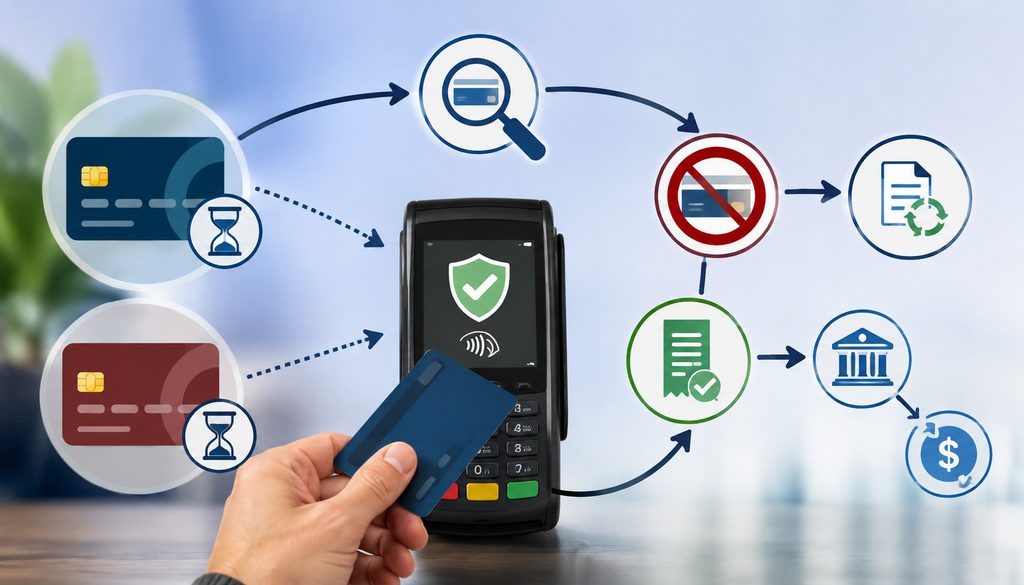
First identify which payment represents the intended sale.
Then determine the state of every matching attempt using transaction IDs—not merely screenshots from the customer’s banking application.
A reasonable workflow is:
- Locate both authorizations.
- Match each to its timestamp and payment attempt.
- Determine which transaction belongs to the completed order.
- Check capture state for both.
- Preserve the intended payment.
- Use the processor’s authorized reversal/void procedure on the unwanted uncaptured attempt where applicable.
- Record the transaction IDs and corrective action.
- Confirm later through reconciliation that only the intended payment settled.
Do not promise that a duplicate pending authorization will disappear from the customer’s banking app immediately after a reversal. Issuer display and hold-release timing vary.
Staff can tell a customer:
“Two authorization records appear to have been created. We are retaining the payment associated with your purchase and correcting the unnecessary authorization through our payment provider. Your bank controls how quickly pending authorization information is updated.”
That communicates what the merchant knows without promising an issuer-controlled deadline.
Void vs. Authorization Reversal vs. Refund
These three actions solve different transaction-state problems.
| Action | Typical Stage | Was Money Captured? | Main Purpose |
| Void | Before final settlement under provider workflow | Possibly not yet settled | Cancel an eligible transaction before completion |
| Authorization reversal | Authorization stage | No capture required for the unused authorization | Tell the payment system the approved authorization will not be used |
| Refund | After capture/settlement path | Yes | Return funds from an existing captured payment |
Provider terminology can overlap. Some systems label a pre-settlement cancellation “void,” while underlying processing may involve reversal messages.
Mastercard’s processing rules describe reversal messaging in applicable canceled and technical-failure situations, demonstrating why merchants should use their provider’s supported reversal process rather than inventing their own.
A helpful background comparison is also available in this overview of voids and refunds in card processing.
Do Not Refund an Authorization That Was Never Captured
A refund generally relates to a payment that was captured. If an unwanted attempt exists only as an authorization, the appropriate resolution may instead be an authorization reversal or void under the processor’s terminology.
Always verify status first.
This is especially important when a customer shows the cashier two pending transactions in a banking app. Those entries do not by themselves prove that two payments settled.
For same-day suspected duplicates, check whether one is still eligible for a provider-supported void. For a duplicate discovered after settlement, a refund may be necessary.
A current example of why settlement state changes the appropriate correction can be found in this discussion of voiding, refunding, and correcting payment mistakes.
Special Cases: Restaurants, Split Tender, Partial Authorization, and Delayed Processing
Restaurants require extra care because the amount initially authorized can legitimately differ from the final captured amount in supported tip-adjustment workflows.
Suppose the terminal initially authorizes $76.00 and the final transaction becomes $91.20 after a legitimate tip adjustment. Finance should not automatically classify $76.00 and $91.20 as two separate purchases without examining transaction identifiers and the provider’s payment lifecycle.
Likewise, split tender can produce two valid payments linked to one POS order. A $100 bill might be paid using two $50 payments. Matching only by order total would produce misleading duplicate alerts.
Use:
- order ID
- individual payment IDs
- card last four
- tender type
- amount
- timestamps
- capture status
Partial authorization can also exist in payment environments that support it. An authorization for less than the requested amount should not automatically be interpreted as a terminal failure or duplicate. Staff must follow the provider’s supported partial-authorization workflow.
Some platforms also support delayed or offline-related processing models. These can make the point-in-time transaction state harder to interpret. Merchants should use the vendor’s documented transaction-status and synchronization procedures and should not improvise offline thresholds or workarounds.
Terminal-to-POS Integration Types and Their Mismatch Risks
The architecture determines where a mismatch can occur.
Fully Integrated Payments
In a fully integrated architecture, the POS orchestrates the payment flow and receives payment data through its integrated service.
This can simplify transaction mapping, but it does not eliminate unknown states. The POS application can still lose connectivity, fail to process an API response, or receive a late event after declaring a local timeout.
The important design capability is durable payment identification. If the processor succeeds but the application fails to update the order, the integration should still be able to locate the payment and reconcile it.
Semi-Integrated Payments
With semi-integrated systems, the POS commonly sends the amount or transaction request to a payment application or terminal while the terminal handles sensitive card interaction.
A POS gateway mismatch can arise when the terminal completes its portion but the POS fails to receive or correctly map the response.
This architecture makes terminal references, POS order IDs, gateway payment IDs, and timestamp correlation especially useful.
Standalone Terminals
A standalone terminal has weaker automatic linkage to the POS. Staff may manually enter payment amounts and then separately mark an invoice or sale as paid.
That separation creates additional reconciliation risk:
- payment exists without an associated order
- POS order shows unpaid despite an approved terminal transaction
- wrong amount entered into terminal
- payment linked to wrong invoice
- duplicate retry because staff cannot see terminal history from the POS
These are reasons to strengthen transaction logs and reconciliation—not reasons to give employees unrestricted transaction-editing privileges.
Transaction Lookup Workflow: Find the Payment Before Creating Another One
When the terminal says Approved but the POS says Failed, use a consistent payment processor transaction lookup process.
- Obtain the POS order/check number.
- Record the transaction amount.
- Record date, time, and time zone.
- Record last four if appropriately displayed.
- Record authorization code if available.
- Record terminal reference.
- Record the location, MID, register, and terminal.
- Search the gateway or processor.
- Identify authorization and capture state.
- Match the provider transaction to the POS attempt.
- Document the next action.
If No Transaction Is Found
Do not immediately assume the first request never existed.
Verify:
- correct merchant account
- correct location
- correct device
- correct date/time zone
- reasonable time range
- alternate payment routing used by that terminal
- terminal transaction history
- gateway account or merchant hierarchy
If the terminal displayed Approved and a reasonable lookup still finds nothing, escalate to support.
If One Approved Transaction Is Found
Determine whether the payment corresponds to the purchase and whether it is:
- authorized
- awaiting capture
- captured
- already completed
- subsequently reversed
If the transaction is valid, avoid running the card again. Determine whether the provider supports reconnecting or reconciling the processor payment to the original order.
If Two Approved Transactions Are Found
For each transaction, identify:
- timestamp
- transaction ID
- amount
- last four
- authorization state
- capture state
- associated POS attempt
Preserve the intended transaction and resolve the duplicate using the action appropriate to its state.
If Status Remains Unknown
Escalate instead of guessing.
A sensible escalation path is:
Cashier → Manager → POS Help Desk → Gateway/Processor Support
What Should Be Logged for Processor or POS Support?
A useful incident record lets support reconstruct the sequence without collecting unnecessary card data.
Record:
- merchant/location
- MID or approved masked merchant reference
- terminal ID
- POS register
- order/check number
- amount
- transaction date
- timestamp
- time zone
- last four
- card brand if known
- authorization code
- terminal transaction/reference ID
- gateway/payment ID
- processor transaction ID if available
- exact POS error message
- terminal message
- authorization status
- capture status
- steps already performed
- whether the card was retried
- second transaction ID if a duplicate is suspected
- support case number
- employee/manager handling the incident
| Support Incident Field | Value |
| Location | |
| POS order ID | |
| Amount | |
| Timestamp/time zone | |
| Last four | |
| Authorization code | |
| Terminal reference | |
| Gateway transaction ID | |
| POS error | |
| Terminal message | |
| Processor state | |
| Capture state | |
| Action already taken |
Screenshots and receipts may help support when they are allowed by company policy and do not expose prohibited card data.
PCI DSS: Troubleshooting Does Not Justify Collecting More Card Data
A terminal problem does not suspend payment-data security requirements.
Do not copy sensitive data into:
- support tickets
- spreadsheets
- chat applications
- incident notes
- screenshots
- shared documents
Use masked identifiers and approved transaction references.
PCI SSC explains that PAN displayed on screens, reports, receipts, and similar output should be masked when there is no business need to display the entire number.
PCI SSC also states that sensitive authentication data such as card verification codes and PIN/PIN-block data must not be stored after authorization, even if encrypted.
For support cases, never send:
- full PAN
- CVV/CVC/CID
- PIN
- PIN block
- magnetic-stripe track data
- equivalent sensitive authentication data
The last four, approved masked card reference, transaction ID, authorization code, timestamp, and order ID are usually far more useful for transaction investigation anyway.
Customer Communication During a Suspected Duplicate
Customers may become concerned when their banking app shows two pending entries. Staff should communicate what is known without declaring that both are finalized charges.
A useful response is:
“We can see that there may be more than one authorization associated with this purchase. We are checking which transaction is the valid payment and whether the other authorization needs to be reversed. Pending activity is not necessarily the same as two settled charges.”
Avoid:
- promising an exact hold-release time
- claiming “it will definitely disappear tomorrow”
- saying the customer’s bank is wrong
- issuing an unnecessary second payment
- automatically directing the customer to dispute a transaction while the merchant is actively correcting a known duplicate
If the customer has already left, finance or payment support can investigate using order ID, transaction IDs, timestamp, last-four, register, and processor reports.
Receipt records should use masked payment information and transaction references.
Daily Duplicate Review and Reconciliation
The job is not finished simply because the customer left the counter.
Finance or operations should review:
- unknown payment states
- duplicate same-amount authorizations
- suspected duplicate captures
- timeout transactions
- reversals
- voids
- refunds
- captured payments missing a POS order
- POS orders marked paid without matching processor transactions
A useful investigation signal might be:
Same Location + Same Amount + Same Last Four + Closely Spaced Timestamps
That should be treated as an exception indicator, not proof of a duplicate. There is no universal time threshold appropriate for every merchant.
Legitimate false positives include:
- two separate purchases by the same customer
- split tender
- two separate orders of identical value
- repeat purchases
- tip adjustments
- multiple customers coincidentally spending the same amount
| Order | Amount | Last Four | Attempt 1 | Attempt 2 | Action |
| 18451 | $46.80 | 5521 | Captured | Authorized only | Verify duplicate and reverse unused authorization if appropriate |
| 18467 | $120.00 | 7724 | Captured | Captured | Determine duplicate and void/refund eligible transaction |
| 18483 | $58.25 | 9910 | Unknown | None | Investigate before any retry |
For businesses looking to improve structured reconciliation, this overview of payment APIs for automated reconciliation workflows provides relevant background.
Reconcile POS Orders to Gateway, Settlement, and Bank Funding
A complete payment record should eventually reconcile across:
POS Orders → Gateway/Processor Transactions → Processor Settlement → Bank Deposit
Each system answers a different question.
The POS answers whether the sale was recorded correctly.
The gateway or processor answers what happened to the payment.
Settlement reporting answers which transactions moved through the settlement process.
Bank funding confirms what ultimately arrived in the merchant’s account, subject to the processor’s funding structure, adjustments, fees, refunds, chargebacks, or netting practices.
Authorized but Not in POS
If the processor shows a legitimate authorization while the POS order does not show the payment, create a documented exception.
Do not create a second transaction merely to make the two systems visually agree.
Determine whether the payment should be captured, reconnected, reversed, or otherwise handled according to provider workflow.
Captured but Missing Order
A captured payment with no corresponding POS order is a high-priority reconciliation exception.
Investigate:
- POS order number
- payment attempt
- amount
- timestamp
- employee/register
- terminal
- gateway payment ID
Do not delete the payment record.
Order Completed but Payment Missing
This is different from “terminal approved, POS failed.” Here, the POS believes the sale completed but processor evidence may be absent.
Investigate separately rather than assuming the customer was charged.
Refund Reconciliation
When a captured duplicate requires a refund, track:
- original intended payment ID
- duplicate payment ID
- refund ID
- refund amount
- processing/settlement state
- order
- customer communication
- eventual reconciliation
Unresolved cases should remain on an exception-aging report until they are closed.
Root-Cause Analysis After the Customer Risk Is Resolved
Once payment safety is restored, identify why the mismatch happened.
Categories commonly include:
- network
- terminal
- POS application
- local integration service
- middleware
- gateway
- processor
- configuration
- software defect
- webhook/event processing
- transaction-mapping logic
An incident log might look like this:
| Incident | Root Cause | Customer Impact | Financial Impact | Fix | Owner |
| POS timeout after approval | Integration service restart | Customer delayed | None | Vendor patch | IT |
| Late callback not mapped | Application defect | Duplicate authorization | Temporary hold | Software update | POS vendor |
| Network loss | Store connectivity | Checkout delay | None | Network remediation | Infrastructure |
Repeated terminal approved POS failed incidents deserve engineering attention, not repeated cashier workarounds.
Check:
- POS software version
- terminal firmware
- integration version
- network reliability
- local payment service health
- gateway response processing
- webhook/event handling
- status-query implementation
- idempotency implementation
- duplicate-response handling
Do not change gateway or terminal timeout values arbitrarily. Vendor-defined timing and network behavior can have transaction-processing implications.
Staff Permissions and Multi-Location Controls
Frontline employees need enough access to recognize an unknown transaction, but they should not have unrestricted capability to manipulate payment history.
Cashiers generally should not have uncontrolled ability to:
- reverse arbitrary payments
- issue unrestricted refunds
- alter terminal routing
- delete payment records
- edit processor transaction IDs
- suppress exceptions
Managers may need controlled access to:
- payment history
- transaction lookup
- duplicate review
- provider-supported void/reversal actions
- escalation tools
All corrective actions should preserve an audit trail.
For multi-location merchants, maintain a location-to-payment map containing the approved operational identifiers for:
- store
- MID
- terminal
- register
- gateway account
- processor account
- escalation contact
Centralizing difficult payment lookups can prevent each store from inventing its own response to a timeout.
Preserve:
- original attempt
- any retry
- void/reversal
- refund
- employee
- timestamp
- support case
- settlement outcome
POS and Gateway Controls That Reduce Duplicate Payments
Merchants evaluating a POS should ask whether it can:
- represent an unknown payment state
- distinguish decline from timeout
- prevent an immediate duplicate retry
- automatically query transaction status
- use unique payment attempt IDs
- support idempotency where applicable
- reconnect a successful payment to an order
- alert managers about suspected duplicate attempts
- preserve late responses
- expose transaction identifiers
- maintain audit logs
Useful gateway capabilities include:
- transaction-status API
- authorization lookup
- unique payment IDs
- authorization and capture state
- void/reversal functions
- webhook or asynchronous events
- idempotency
- searchable audit records
The safest automated recovery pattern is:
Payment Submitted → Processing → Success / Declined / Unknown
If Unknown:
Query Existing Payment → Resolve State → Complete or Permit Retry
not:
Timeout → Immediately Submit New Authorization
A broader guide to selecting payment infrastructure and POS capabilities can be found in this overview of merchant services and card-processing features.
Technical Team Checklist for Unknown Payment Recovery
Technical teams should design for the reality that networks and applications occasionally fail between request and response.
A strong implementation should consider:
- unique business order IDs
- unique payment-attempt IDs
- provider transaction IDs
- idempotency keys when supported
- durable server-side payment state
- transaction-status queries
- asynchronous event/webhook handling
- deduplication of repeated events
- late-response processing
- order locking while payment is unresolved
- audit logs
- masked payment logs
- reconciliation processes
A browser message should never be the only durable representation of financial state.
For example, a cashier’s browser can lose its connection after the server already receives a successful processor response. If the browser simply shows “Something went wrong” and the application allows another submission, duplicate risk rises.
Instead, the application should retain the attempt ID server-side. When the browser reconnects, it can retrieve the actual payment state.
Common POS Duplicate Charge Troubleshooting Mistakes
Several recurring mistakes turn recoverable communication errors into customer-service and reconciliation problems.
Immediately Rerunning the Card
This is the highest-risk reaction. An approval may already exist even though the POS failed to record it.
Verify first.
Assuming “Failed” Means Processor Decline
A POS failure can describe a local application or communication failure rather than an issuer decision.
Look for the actual transaction state.
Looking Only at the Customer’s Banking App
A pending bank entry is useful context but not sufficient merchant-side evidence of capture or settlement.
Use processor/gateway records.
Matching Only by Amount
Same-amount transactions can be legitimate.
Compare timestamp, last-four, transaction IDs, location, and order linkage.
Confusing Authorization With Capture
Approval does not automatically mean the transaction was captured or settled.
Check the actual lifecycle stage.
Refunding an Authorization-Only Attempt
An unused authorization may need an appropriate reversal/void rather than a refund.
Promising an Immediate Hold Release
The merchant can initiate the appropriate correction, but issuer display timing varies.
Creating Multiple Retries During a Timeout
Repeated taps or clicks can turn one unknown state into several payment attempts.
Ignoring Transaction IDs
Identifiers make payment reconstruction substantially easier.
Sending Full PAN or CVV to Support
Do not expose prohibited payment data merely because troubleshooting is urgent.
Deleting Failed or Unknown Records
An exception record is evidence. Preserve it for audit and reconciliation.
Closing the Incident Before Settlement Review
An incident that looks resolved at the register may still need confirmation that only one intended transaction was captured and settled.
Duplicate-Charge Prevention Matrix
| Risk | Preventive Control | Recovery Control |
| POS timeout | Unknown-state handling | Query processor status |
| Lost approval response | Durable payment-attempt ID | Recover existing transaction |
| Double submit | Lock payment button/order | Locate and compare attempts |
| Duplicate authorization | Idempotency/duplicate safeguards | Reverse unwanted authorization if applicable |
| Duplicate capture | Server-side transaction-state controls | Void/refund correct duplicate based on state |
| Unknown status | Status API/webhook handling | Escalate and reconcile |
| Staff retry | “Verify before retry” training | Manager lookup and documented correction |
No control eliminates every failure. The goal is to prevent an uncertain result from automatically creating another financial request.
Frontline POS Duplicate Charge Checklist
| Step | Complete? |
| Do not immediately retry | ☐ |
| Record order/check ID | ☐ |
| Record timestamp/time zone | ☐ |
| Record amount | ☐ |
| Record last four | ☐ |
| Record authorization/reference ID | ☐ |
| Check gateway/processor | ☐ |
| Confirm authorization/capture state | ☐ |
| Void/reverse duplicate if applicable | ☐ |
| Retry only after safe confirmation | ☐ |
| Document incident | ☐ |
| Reconcile settlement | ☐ |
The staff version can be summarized even further:
Stop → Save Reference → Look Up → Match → Verify → Resolve → Retry Only if Safe → Document
Do not allow customer pressure or a growing checkout line to override the policy. Spending a short period verifying an unknown transaction can prevent a much longer duplicate-payment dispute.
Questions to Ask the POS Provider and Processor
A merchant should understand these workflows before the next timeout occurs.
Ask the POS provider:
- What exactly does “Failed” mean for each payment-related error?
- Can the POS distinguish Declined from Unknown?
- Does it automatically query transaction status after a timeout?
- Can an existing processor success be reattached to the original order?
- Does the integration use idempotency?
- How does it identify duplicate attempts?
- Which gateway/processor IDs does it retain?
- How are late terminal responses handled?
- Can managers search payment history?
- Can the POS lock an order while payment status is unknown?
- Can it prevent an immediate duplicate retry?
Ask the gateway or processor:
- Which transaction identifier should be used for support lookup?
- How can staff search an authorization?
- Can an authorization code be used as a lookup field?
- How is capture status confirmed?
- How does the platform represent an unresolved timeout?
- What is the correct void/reversal procedure?
- How are duplicate pending authorizations displayed?
- When is an authorization eligible for reversal?
- How can staff determine whether two attempts both settled?
- What identifiers belong in a support case?
- Does the API support idempotency?
- Which asynchronous events should the POS use?
- How should staff handle an approved transaction that the POS did not record?
Write the answers into internal operating procedures instead of relying on employees to remember vendor-specific rules under pressure.
Frequently Asked Questions
Why does my terminal say approved when the POS says failed?
The processor may have approved the authorization before a communication failure prevented the POS from receiving or recording the response. The terminal and POS can therefore show different results even though both are accurately describing what each system observed.
Treat the payment as unknown until you look it up in the gateway, processor, or integrated payment platform. Do not assume the POS failure equals an issuer decline.
Can a payment be approved even if the POS times out?
Yes. Certain timeout scenarios can occur after payment processing has already progressed. The precise behavior depends on the POS, gateway, terminal integration, and processor.
Authoritative payment-platform documentation specifically recommends transaction-status queries after some missing-response or timeout scenarios because the payment may have continued beyond the user-interface timeout. Always verify the transaction before creating another payment attempt.
Should I run the card again if the terminal says approved?
Not immediately. A terminal approval is evidence that the first attempt may already have produced an authorization. Check the processor or gateway record first and match the amount, timestamp, last four, authorization code, terminal reference, transaction ID, and order ID where available.
Retry only after the first attempt has been reliably confirmed unsuccessful or appropriately resolved through your provider’s workflow.
How do I check whether a card payment actually went through?
Search the authoritative processor, gateway, acquirer, or integrated payment platform used by your business. Find the transaction using several identifiers, such as the order/check number, amount, timestamp, card last four, authorization code, terminal reference, MID, and payment ID.
Then determine whether the transaction is declined, authorized, captured, reversed, voided, in progress, or otherwise unresolved.
Which transaction details should I match before retrying?
At minimum, compare the amount, date/time, last four, and location. When available, also use authorization code, terminal reference, gateway/payment ID, processor transaction ID, POS order/check number, MID, register, terminal ID, and capture status.
Matching several fields reduces the risk of confusing two legitimate same-amount transactions or selecting the wrong payment attempt.
What is an authorization code?
An authorization code is generally an identifier returned as part of an approved authorization response. It can help the processor or gateway locate the original payment attempt.
However, an authorization code does not by itself prove that capture or settlement occurred. Different processors and networks may use different formats, so staff should never assume a universal authorization-code length or structure.
Is an approved authorization the same as a completed charge?
No. Authorization, capture, settlement, and bank posting describe different stages. An approved authorization means the issuer approved the request according to the applicable payment flow.
The transaction may still need to be captured and processed through subsequent stages. This distinction is particularly important when a customer sees a pending authorization and assumes it is already a finalized posted charge.
What is the difference between a duplicate authorization and a duplicate charge?
A duplicate authorization means more than one authorization may have been approved for one intended purchase. The customer might see multiple pending entries even if only one transaction eventually settles.
A duplicate captured or settled charge means multiple financial transactions progressed further through the payment lifecycle. Always verify capture and settlement status before selecting a correction.
What should I do if the customer sees two pending card transactions?
Look up both transaction attempts in the merchant’s processor or gateway. Determine which one belongs to the intended purchase and whether either or both were captured.
If an extra transaction is only an unused authorization, follow the provider’s supported reversal or void procedure where applicable. Do not promise the customer an exact time when the issuer will remove the pending display.
What is the difference between a void, reversal, and refund?
Terminology varies by provider, but a void commonly cancels an eligible transaction before final settlement, while an authorization reversal communicates that an approved authorization will not be used. A refund returns funds associated with a captured payment.
Before taking action, determine the actual payment state and follow the POS, gateway, processor, and acquiring procedures applicable to your merchant account.
When is it safe to retry a failed POS payment?
A new attempt is generally safer when reliable provider evidence confirms the original payment was declined, never reached processing, or has been successfully canceled/reversed according to the provider’s workflow.
It is not safe to retry simply because the POS says “Failed” while the processor state is unknown or an approval exists. POS duplicate charge troubleshooting should always favor verification before retry.
How does idempotency prevent duplicate payments?
In payment APIs that support it, an idempotency key lets a client identify repeated submissions as the same intended operation. The provider can then avoid treating an accidental retransmission as a brand-new payment.
Idempotency is particularly useful when a client does not receive a response and needs to resend a request. It does not replace transaction-status lookup or good payment-state design.
What should be included in a payment processor support ticket?
Include location, merchant reference, terminal/register, POS order ID, amount, timestamp and time zone, last four, authorization code, terminal reference, gateway/payment ID, exact error messages, capture state, steps already taken, and any second transaction ID. Never include full PAN, CVV, PIN, PIN block, or magnetic-stripe track data.
How should duplicate charges be reconciled at the end of the day?
Match POS orders to gateway and processor transactions, then compare those records to settlement reporting. If a duplicate was voided, reversed, or refunded, retain the original payment ID, duplicate ID, corrective transaction ID, order reference, and final state.
Do not close the exception until finance can confirm which payment actually settled and the accounting records reflect the corrective transaction correctly.
How can a POS prevent duplicate retries after timeouts?
Useful controls include representing an unknown state, locking the order while payment is unresolved, automatically querying transaction status, maintaining unique payment-attempt IDs, using idempotency when supported, handling delayed callbacks and webhooks, preventing repeated button submissions, and recovering an existing successful processor transaction rather than automatically issuing a new authorization.
Conclusion
When a terminal says Approved but the POS says Failed, the safest response is not to decide which screen “wins.” The correct response is to classify the payment as unresolved until the processor, gateway, acquirer, or integrated payment platform reveals the authoritative state of the original attempt.
Effective POS duplicate charge troubleshooting follows one central rule: stop, verify, then retry only if safe.
Staff should preserve the order number and transaction references, then compare amount, timestamp, last four, authorization code, terminal reference, gateway/payment ID, processor ID, MID, terminal, and capture state.
They should know that an authorization is not the same thing as capture, settlement, or bank posting, and that a duplicate pending authorization is not automatically a duplicate settled charge.
When an unnecessary authorization exists, use the provider-supported void or reversal procedure where appropriate. When two payments were actually captured, determine whether the duplicate remains voidable or requires a refund based on its state.
Never promise when an issuer will remove a pending display, and never copy full PAN, CVV, PIN, or other prohibited authentication data into troubleshooting records.
The best prevention combines staff discipline with resilient technology: unknown-payment states, unique attempt IDs, transaction-status lookup, idempotency where supported, delayed-response handling, role-based correction rights, audit trails, and daily reconciliation.
Ultimately, every checkout team should remember one sentence:
Unknown payment = verify before retry.
Operational procedures differ across POS systems, gateways, processors, acquirers, card networks, and merchant configurations. Merchants should therefore follow their actual provider documentation and acquiring procedures when resolving unknown transactions, authorizations, reversals, voids, captures, refunds, and settlement exceptions.