By Christopher Delacruz September 2, 2026
A merchant can process every card successfully and still receive deposits later than expected if its POS batch closes after the processor’s funding cutoff. At the same time, closing too early can create problems for restaurants that still need to finalize tips, late sales, open checks, or legitimate payment adjustments.
That is why POS batch close time should be treated as a payment-operations setting, not merely an end-of-day housekeeping task. The schedule affects when completed transactions move from the POS into processor settlement, how neatly business dates line up with reports, and whether the merchant meets the conditions of its expected funding program.
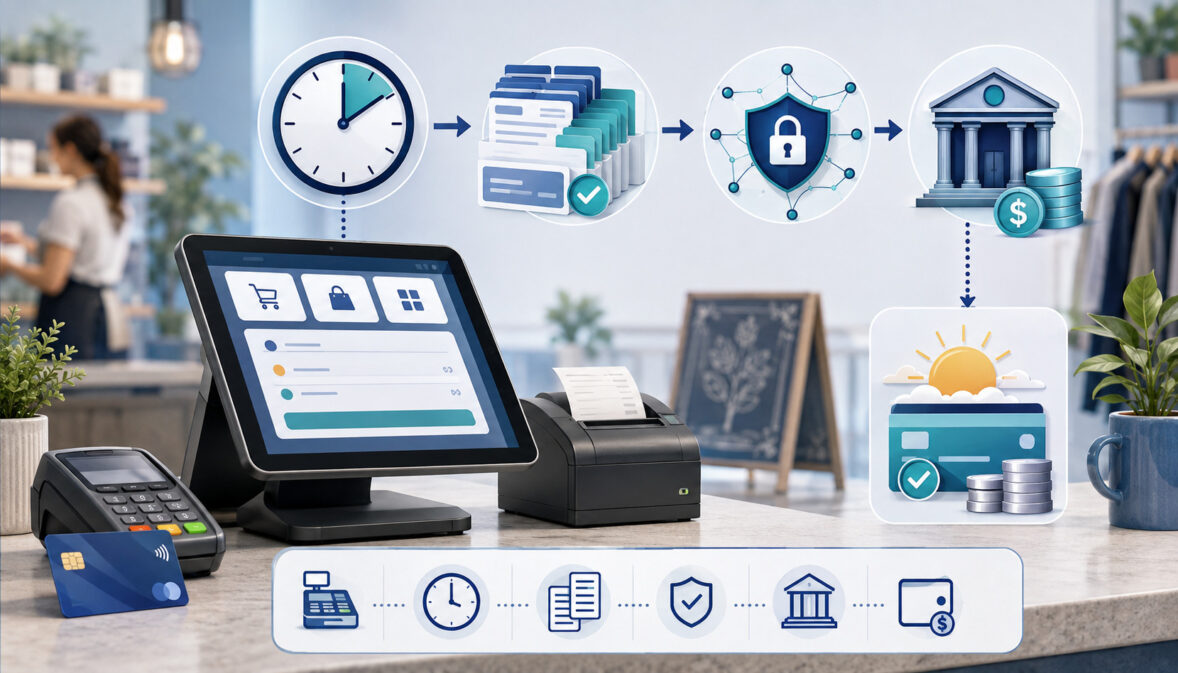
The operating flow is:
Transaction → Authorization/Capture → Open Batch → Final Adjustments → Batch Close → Processor Cutoff → Settlement → Funding File → Bank Posting → Reconciliation
The most important principle is simple:
The best batch-close time is not a universal clock time. It is a merchant-specific schedule that leaves enough time to complete legitimate transaction adjustments while still meeting the actual processor/acquirer cutoff for the merchant’s funding program.
A retailer that closes at 6:00 p.m., a restaurant taking tips until 1:00 a.m., and a multi-location business operating across three time zones should not automatically use the same schedule.
The correct configuration depends on operating hours, tip workflow, processor rules, time zone, funding program, MID configuration, bank calendar, and how the POS transmits settlement information.
Merchants should also remember that next-business-day funding is conditional. A qualifying batch may still be affected by weekends, bank holidays, account reviews, reserves, transmission failures, transaction types, bank posting practices, or other processor-specific conditions.
This guide explains how to establish a defensible schedule, automate it where appropriate, handle restaurant adjustments, accommodate weekends and holidays, and prove that each batch traveled all the way from POS close to the bank.
What Is a POS Batch Close?
A payment batch is a group of card transactions collected by a POS, terminal, gateway, or processing platform for submission into settlement. Depending on the system, transactions may already be captured while remaining part of an open batch, or the closeout process may itself finalize certain transactions before they move onward.
The exact implementation varies considerably by platform. For example, Clover documents closeout as a process that finalizes a batch of authorization transactions and starts the merchant funding process, while its developer tools can return a batch object after a successful closeout.
Merchants reviewing their overall setup should also understand how POS systems support payment processing workflows, because the POS, gateway, processor, and merchant account can each play a different role in transaction handling.
A useful conceptual flow is:
Open Batch → Close/Submit → Processor Settlement → Funding
A batch close may also be called a closeout, settlement close, terminal close, payment batch close, or end-of-day batch submission. These terms are sometimes used differently by individual providers, so merchants should rely on the terminology in their processor and POS documentation.
An open batch normally contains transactions that have not yet completed the processor’s settlement stage. Once the batch is closed, the merchant generally loses some ability to modify those transactions as ordinary pre-settlement adjustments. Later corrections may require refunds or other transaction types instead.
That distinction makes timing important. A restaurant may need to keep transactions adjustable while employees enter tips, while a retail store with fixed transaction totals may have little reason to keep a completed business day open.
Merchants evaluating POS technology should therefore consider payment reporting and operational workflow, not just checkout functionality. Resources covering how POS and payment systems integrate with merchant operations can provide useful background when designing a broader payment environment.
Why POS Batch Close Time Matters
The POS batch close time determines when transactions leave the merchant’s active operational workflow and enter the processor’s settlement workflow. That makes it a connection point between store operations, payment processing, treasury, and accounting.
Closing too late can cause a batch to miss the processor’s applicable batch settlement cutoff. When that happens, successfully authorized transactions are not necessarily lost or declined; instead, the batch may enter a later processing cycle.
Closing too early creates a different problem. Transactions completed afterward may fall into another batch, restaurant tips may remain unfinished, business-day reports can become fragmented, and managers may need an additional closeout.
The ideal schedule therefore balances five competing needs:
- Complete all legitimate customer transactions.
- Finish tip and check adjustments that must occur before settlement.
- Leave enough time for manager review or shift close.
- Transmit the batch before the processor cutoff.
- Maintain consistent business-date and reconciliation reporting.
In an integrated environment, understanding embedded payments and POS operations can also help teams determine where transaction status, settlement records, and operational reporting originate.
A well-designed end-of-day batch close also improves cash forecasting. Finance can compare the expected batch schedule with processor settlement reports and anticipated deposit dates instead of investigating deposits without a clear operating baseline.
For merchants operating high transaction volumes, structured payment data can further reduce manual reconciliation. Payment APIs, reporting exports, and automated back-office workflows can connect transaction, settlement, and accounting records so exceptions are identified instead of buried in spreadsheets.
Authorization, Capture, Batch Close, Settlement, and Funding Are Different Events

A major source of deposit confusion is treating every stage of a card transaction as though it represents the same financial event. It does not.
Visa Acceptance documentation describes capture as a follow-on transaction to authorization and notes that captures can be grouped into batch files before processor settlement. Its documentation also recommends reconciling capture requests against processor reports because gateway processing alone does not prove that money has reached the merchant.
| Stage | What It Means | Has Merchant Received Money? |
| Authorization | Issuer approves or declines the transaction and may reserve available funds | No |
| Capture | Merchant confirms the amount to be submitted for payment | Usually no |
| Open batch | Captured or settlement-ready transactions remain grouped before closeout | No |
| Batch close | Group is finalized/submitted according to the platform workflow | No |
| Settlement | Processor/acquirer and payment-network settlement processes advance the transactions | Not necessarily |
| Funding | Processor/acquirer creates or releases the merchant funding amount | Not necessarily in bank yet |
| Bank posting | Merchant’s bank posts the incoming deposit | Yes, subject to bank availability |
Several identifiers can exist along this path.
A MID, or merchant identification number, identifies a merchant processing relationship or account within the acquiring environment. A terminal ID may identify a particular payment endpoint.
A batch ID normally identifies the group submitted from the POS or processing platform. A settlement ID may identify the processor’s settlement record, while a funding ID or funding reference can identify the disbursement toward the merchant’s bank.
Not every provider exposes all three identifiers, and some use different names.
Other terms also require distinction:
- A void usually cancels a transaction before final settlement when supported.
- A refund returns funds through a post-transaction process.
- A chargeback is a later dispute-related financial event.
- A tip adjustment changes a qualifying restaurant payment before its final settlement stage.
- Business date describes the merchant’s operating or accounting day and can differ from the calendar, settlement, or deposit date.
A card showing “approved” at the terminal therefore says nothing by itself about the date on which the merchant will see the corresponding funds in its checking account.
What Is the Processor Cutoff Time?
A processor cutoff is the deadline by which the provider must receive qualifying transactions or a completed batch for those transactions to enter a particular settlement or funding cycle.
Visa Acceptance Solutions explains that capture requests can move to the processor individually or through batch processing, and it specifically recommends reconciling capture requests with processor reports because the gateway does not independently confirm that funds have been transferred.
There is no single next day funding cutoff for every merchant.
Cutoffs can vary according to processor, acquiring platform, front-end or gateway configuration, MID, merchant program, transaction type, industry, and time zone. Some providers also distinguish between merchant-facing POS close times and underlying processing deadlines.
Processor-specific documentation demonstrates why merchants should not copy a cutoff from another business. Square, for example, publishes a provider-specific close-of-day and transfer framework for its U.S. sellers, including its own standard schedule and rules for payments taken after its defined threshold. Those rules apply to Square’s environment and should not be generalized to unrelated processors.
Likewise, a payment provider may publish separate cutoff schedules for different acquiring platforms. Even merchants using similar hardware can have different backend configurations.
Processor Cutoff vs. POS Business-Day Close
These four times may all be different:
- Store closing time
- POS business-day close
- Terminal batch close
- Processor settlement cutoff
Suppose a restaurant stops seating customers at 10:00 p.m. but does not complete checks and tips until later. Its operating close and payment batch close may differ.
A retailer may lock its doors at 8:00 p.m. but automatically close its payment batch after staff have processed final customers and completed the register close.
The processor cutoff may be earlier or later than either operational event.
Provider documentation also shows why close-of-day settings should not be generalized. For example, Square allows merchants to customize their close-of-day time and explains how that setting affects the grouping of payments and transfer timing within its own platform.
That is why the merchant should build the schedule backward from the verified processor requirement rather than beginning with an arbitrary terminal time.
How to Find the Correct Cutoff
Confirm the cutoff using several sources whenever possible:
- Review the merchant agreement or funding-program documentation.
- Check processor/acquirer documentation.
- Ask processor support to confirm the cutoff for the exact MID.
- Confirm the time zone used by the processor.
- Check gateway or POS batch configuration.
- Review recent settlement reports.
- Test whether batches submitted before and after the intended time behave as expected.
Ask specifically:
“What is the latest time this MID’s qualifying batch must be successfully received—not merely initiated at the POS—to remain in our expected next-business-day funding cycle, and which time zone controls that deadline?”
That wording helps prevent an ambiguous answer about store close, gateway transmission, or a different processing program.
What Happens When a Batch Closes After the Processor Cutoff?

A late batch may be processed in a later settlement cycle, which can shift the expected deposit date even though every card transaction in the batch was successfully approved.
The size of that shift is provider-specific. Merchants should not assume that a batch submitted one minute after cutoff always creates exactly a one-business-day delay. The later cycle can interact with weekends, holidays, funding schedules, acquiring-system processing, and the merchant’s bank.
Consider a purely hypothetical example:
| Scenario | Batch A | Batch B |
| Verified processor cutoff | 10:00 p.m. | 10:00 p.m. |
| Batch submitted | 9:35 p.m. | 10:07 p.m. |
| Relative position | Before cutoff | After cutoff |
| Settlement-cycle expectation | Eligible for earlier cycle, subject to program rules | May enter later cycle |
| Funding conclusion | Verify in processor reporting | Do not assume original funding date |
The 10:00 p.m. time above is illustrative only. It is not a recommended cutoff.
A late Friday payment batch can be particularly confusing. If it misses the expected processor cycle and the next banking days involve a weekend or holiday, the difference between merchant sales date, settlement date, and bank posting date can become wider than employees expect.
This is why “the cards were approved Friday” is not a sufficient explanation for when money should be in the bank.
How to Set the Best POS Batch Close Time
A practical scheduling framework is:
Verified Processor Cutoff − Operational Safety Buffer = Target Batch Close Time
The safety buffer is not a standard number of minutes. It is whatever the merchant reasonably needs to complete legitimate work and allow the system to submit the batch before the processor deadline.
The buffer may need to accommodate:
- Last customer transactions
- Tip entry
- Closing open checks
- Employee checkout
- Register balancing
- Manager review
- Slow network transmission
- Gateway processing
- Multi-terminal synchronization
- A controlled manual fallback
Start by identifying the latest normal operational activity that must be included. Then determine how much time remains before the actual processor cutoff.
Example Planning Framework
Assume a hypothetical service business has verified directly with its processor that the applicable settlement deadline is 11:00 p.m. in the time zone configured for its account.
The business normally completes customer payments by 9:30 p.m. Staff need additional time for closing procedures, and management wants enough transmission margin so the POS is not attempting settlement immediately before the processor deadline.
The business might therefore test a batch close earlier than 11:00 p.m. The correct interval is based on its operational testing, not a generic recommendation.
Before adopting the schedule, management should answer:
- Are all normal transactions completed by then?
- Are tips or adjustments complete?
- Is the time zone correct?
- Does the batch transmit successfully?
- Does the processor show receipt before cutoff?
- Does funding follow the agreed program?
- Can finance reconcile the deposit?
The same logic works even when the processor’s deadline is very different.
Closing Too Early
An unnecessarily early close can create operational fragmentation.
Late transactions may enter a second batch. Restaurant payments may still require tip adjustments. Managers may find that the POS business date and payment batch no longer match cleanly.
Multiple batches are not inherently wrong, but they should be intentional and supported by the provider rather than created accidentally.
Closing Too Late
Closing too close to or after the processor deadline can create:
- Missed settlement windows
- Less predictable merchant funding timing
- Weekend spillover
- More difficult cash forecasting
- Greater need for exception research
A five-minute gap may look adequate until a device loses connectivity or an employee discovers an unresolved check.
Automatic Batch Close vs. Manual Batch Close

Neither automatic nor manual settlement is universally better. The appropriate method depends on operational predictability and how much legitimate work must occur immediately before closeout.
Clover documentation, for example, notes that merchants can be configured for automatic or manual closeout depending on their environment, while its APIs support manually initiating closeout and handling open tip-adjustable payments.
| Factor | Automatic Close | Manual Close |
| Timing consistency | Usually high | Depends on staff |
| Staff dependency | Low | High |
| Restaurant tip flexibility | Depends on configuration | Potentially greater |
| Forgotten-batch risk | Lower when working correctly | Higher |
| Auditability | Strong if logs and alerts exist | Strong if procedures are documented |
| Exception handling | Requires alert/fallback | Manager can intervene |
| Multi-location standardization | Often easier | More training intensive |
Automatic Batch Close
Automatic batch close is often appropriate where the merchant has a predictable business cycle and payment totals require few late adjustments.
Advantages include consistent timing, reduced employee dependency, fewer forgotten batches, and more standardized POS settlement timing across locations.
The main risk is configuration error. An incorrect automatic close can repeat every day without anyone noticing unless settlement monitoring is in place.
Restaurants also need to know exactly what the POS does with open checks and unsettled tips when an automatic close occurs.
Manual Batch Close
Manual batch close can be useful where managers must confirm that restaurant tips, unusual transactions, or operational checks are complete before settlement.
The tradeoff is human dependency. An employee can forget to close the batch, close it at inconsistent times, or wait until after the processor cutoff.
A manual process therefore needs a formal checklist, a responsible role, escalation rules, and morning verification.
Which Should You Choose?
For predictable retail or service environments, automatic settlement often reduces operational variability.
For restaurants and hospitality businesses, automatic close can still work well if the configured workflow safely accommodates tips and open checks. Manual close should not be chosen simply because the business accepts tips.
The correct question is:
Can this business reliably complete all required payment adjustments before a scheduled automatic close without risking premature settlement?
If yes, automation may be preferable. If not, a controlled manual or provider-supported delayed workflow may make more sense.
Restaurants, Tips, Open Checks, and Late Adjustments
Restaurants have one of the strongest reasons to carefully design payment batch timing. A card authorization may occur before the final tip amount is entered, which means settlement cannot always be treated like a fixed-price retail sale.
A common conceptual workflow is:
Card Authorization → Customer Adds Tip → Tip Adjustment → Final Transaction Amount → Batch Close → Settlement
Actual tip functionality varies by provider.
Clover, for example, documents that open tip-adjustable payments can be handled during closeout and that tip adjustments to qualifying unclosed payments can be updated before closeout.
Square’s restaurant documentation similarly instructs sellers to complete close-of-day responsibilities such as closing checks and adjusting tips, and notes that its close-of-day reporting can settle credit-card tips. Again, that behavior is product-specific rather than a universal POS rule.
Establish a Tip Deadline and a Processor Deadline
Restaurants should document two separate deadlines:
Internal tip-entry deadline: When servers and managers must finish legitimate tip adjustments and close applicable checks.
Processor cutoff: When the completed payment batch must reach the processor to remain in the desired settlement/funding cycle.
The desired close time should fit between those events whenever the provider workflow permits.
For example, if managers regularly complete tips only minutes before the processor cutoff, management has an operational design problem. The solution may involve earlier server checkout, better shift procedures, a different supported close configuration, or discussion with the provider.
Do Not Close Before Tips Are Ready
When the POS requires tips to be finalized before settlement, closing prematurely can lock transactions into a state where ordinary tip entry is no longer available.
That can create customer-service issues, additional correction work, and reporting differences.
At the same time, keeping batches open indefinitely to accommodate disorganized tip entry can jeopardize expected merchant funding timing.
Late-Night Restaurants and Business Dates
A restaurant operating past midnight may have several “dates” attached to the same night:
- Calendar date of the original authorization
- Restaurant business date
- POS batch date
- Processor settlement date
- Funding date
- Bank posting date
A Saturday night service period might continue into early Sunday morning while the POS still treats transactions as Saturday business.
That can be operationally legitimate, but finance needs a documented rule for interpreting reports.
Open Checks and Tabs
Do not assume that every open check or bar tab behaves the same way at closeout.
Some systems may block closeout, prompt the merchant, automatically handle specified transactions, or carry eligible items forward. Merchants must verify the actual POS/provider workflow before setting an automatic batch close.
Retail, Service Businesses, and Multiple Daily Batches
Retail and many service businesses often have simpler settlement requirements because final card amounts are generally known at checkout. With no post-sale tip entry or open tabs, a merchant may be able to automate payment batch close shortly after normal operational completion.
That does not mean “close immediately when the doors lock.”
Employees may still process final customers, returns, voids, or end-of-day corrections permitted by the system. The merchant also needs adequate time for the POS to transmit settlement successfully.
Integrated POS systems can help keep transaction and operating records connected, particularly where payment events flow directly through the business software. An overview of embedded and integrated payment operations can help merchants evaluate how tightly payment status is connected with their POS records.
Can a Merchant Close More Than One Batch Per Day?
Potentially, yes. Whether multiple daily batches are supported and how they fund depends on the processor and platform.
A merchant might intentionally use multiple closes because of shift structure, location operations, unusually long trading hours, or specific system requirements.
Multiple batches can complicate reconciliation because:
- One business date may have several batch IDs.
- Multiple batches may contribute to one deposit.
- One batch may be funded separately.
- Refunds or adjustments may appear in another cycle.
Finance should therefore reconcile from transaction and batch records rather than assume:
One day = one batch = one deposit.
That relationship may be true in a particular merchant setup, but it is not universal.
Multi-Location POS Batch Scheduling and Time Zones
Multi-location merchants should avoid creating a corporate rule that says every store must batch at the same wall-clock time.
Locations can have different:
- Time zones
- Business hours
- Restaurant versus retail workflows
- MIDs
- Processing platforms
- Gateway configurations
- Funding programs
- Tip requirements
A stronger policy is:
Corporate Standard + Documented Location Exceptions
Corporate should define how cutoff verification, automatic-close configuration, settlement review, escalation, and finance reconciliation must work. Individual locations can then use a validated schedule appropriate to their operation.
A scheduling worksheet might look like this:
| Location | Time Zone | Store Close | Processor Cutoff | Configured Batch Close | Verified? |
| Store A | Eastern | Documented | Verified per MID | Configured | Yes/No |
| Store B | Central | Documented | Verified per MID | Configured | Yes/No |
| Restaurant C | Mountain | Documented | Verified per MID | Configured | Yes/No |
| Store D | Pacific | Documented | Verified per MID | Configured | Yes/No |
Time Zone Verification
Ask the processor which time zone controls the cutoff.
Possible reference points include:
- Merchant local time
- Processor operating time
- Gateway-configured time zone
- Terminal configuration
The merchant should not infer the answer from the time shown on a POS receipt.
If corporate manages 50 locations and assumes a 10:00 p.m. cutoff is local time everywhere when the processor actually evaluates settlement in another time zone, some locations may consistently miss the expected window.
Multi-MID Merchants
Each MID should be treated as separately verifiable unless the provider confirms a shared rule.
A corporate account may contain locations with legacy processor configurations, different funding arrangements, separate acquiring platforms, or different risk settings.
Create a master schedule organized as:
Location → MID → Time Zone → Processor Cutoff → POS Close → Funding Program
That structure is more reliable than one corporate spreadsheet column labeled “batch time.”
Weekends, Bank Holidays, and Merchant Deposit Timing
Card acceptance can continue while banking schedules operate differently. This makes weekends and bank holidays a common source of misunderstanding.
The Federal Reserve publishes both its holiday calendar and separate FedACH holiday-processing schedules. Those schedules show that normal ACH processing availability changes around Federal Reserve holidays.
That does not mean every merchant funding product operates identically through FedACH. Providers may use different payment rails, banking partners, prefunding arrangements, or weekend services.
The operational lesson is that merchants should distinguish card processing availability from bank deposit availability.
Friday, Saturday, and Sunday Sales
Consider these conceptual scenarios:
| Sales/Batch Scenario | Processor Settled? | Bank Open? | Possible Effect |
| Normal weekday before applicable cutoff | May enter normal settlement cycle | Normally | Deposit follows merchant-specific schedule |
| Weekend batch | Processor may still process | Traditional bank processing may differ | Funding/posting can shift |
| Bank holiday | Processor systems may continue operating | Relevant bank/payment rail may be limited | Availability may shift |
| Batch after cutoff | May enter later processor cycle | Depends on date | Deposit expectation may move further |
Do not convert this table into a universal deposit calendar.
A Friday batch submitted before a qualifying cutoff might behave differently from a Friday batch that arrives after it. Saturday and Sunday activity can also have provider-specific treatment.
Some payment providers now offer weekend or expedited transfer options, so “banks never deposit card funds on weekends” is too broad.
Bank Holidays
Bank holidays can affect credit card deposit timing even when stores, POS devices, card networks, and processor systems remain active.
Finance should build holiday awareness into cash forecasting rather than treat a holiday-related timing difference as an immediate missing-deposit incident.
The authoritative Federal Reserve holiday schedule is available here: Federal Reserve holiday schedules and FedACH processing information.
Settlement Does Not Equal Bank Availability
A processor report showing “settled” does not necessarily mean the merchant’s bank has posted spendable funds at that moment.
Think of the stages separately:
Batch closed → Processor settlement recorded → Funding instruction created → Bank receives transfer → Bank posts funds
Different systems may update at different times.
What Next-Business-Day Funding Actually Means
Next-business-day funding generally describes a merchant funding arrangement under which eligible transactions or qualifying batches are expected to fund according to the provider’s defined next-business-day schedule.
It should not automatically be interpreted as:
- Exactly 24 hours after the sale
- The next calendar day
- A guaranteed morning bank balance
- Seven-day-a-week bank posting
- A benefit available to every MID
- A promise unaffected by risk review or reserves
Merchant account settlement terms control.
For an example of how processor-specific programs connect batching with funding eligibility, this explanation of next-day funding and batch cutoff requirements illustrates why merchants need to meet their provider’s actual cutoff rather than rely on a generic time.
The provider may condition next-business-day funding on meeting a batch cutoff, maintaining an eligible account status, using supported transaction types, having valid bank information, and complying with other program requirements.
Published provider schedules illustrate how specific these programs can be. For example, one merchant-acquiring provider publishes different funding cutoffs for multiple processing backends and configurations, demonstrating why merchants must verify their own setup instead of relying on a generic internet cutoff.
What Can Delay Expected Funding?
Potential causes include:
- Batch received after the relevant processor cutoff
- Weekend timing
- Bank holiday
- Account review
- Reserve or funding hold
- Batch-transmission failure
- Incorrect bank information
- Processor exception
- Settlement configuration issue
- Unsupported or differently handled transaction type
- Bank posting delay
A delayed deposit therefore does not prove that the batch-close time is wrong.
Same-Day vs. Next-Day Funding
Same-day and next-day funding products should be evaluated as separate programs.
A same-day option may use different transfer mechanisms, eligibility requirements, fees, cutoff rules, or account conditions. A merchant should not assume that changing the POS close automatically converts one funding program into another.
Funding schedule and payment batch close are related but distinct settings.
How to Confirm That a Batch Actually Settled and Funded
The verification chain should be:
POS Batch Closed → Batch ID Generated → Processor Shows Batch/Settlement → Funding Reference Created → Bank Deposit Posted → Accounting Reconciled
Larger merchants can reduce manual work by automating payment reconciliation with payments APIs, particularly when batch, settlement, refund, and accounting data are available through structured exports or endpoints.
This is one of the most important controls in merchant payment operations.
A terminal displaying “batch closed successfully” proves only that a particular POS-side close process completed according to that system. It does not independently prove that the processor settled the transactions or that the bank posted the expected deposit.
Visa Acceptance documentation explicitly notes the importance of reconciling capture requests against processor reports because payment-gateway processing does not itself provide final proof that the money transferred.
Step 1: Capture the POS Batch Report
At minimum, retain or make accessible:
- Location
- MID
- Terminal ID where applicable
- Batch ID
- Business date
- Close timestamp
- Transaction count
- Gross captured amount
- Refund amount
- Net batch amount
A batch report should not become a repository for unnecessary sensitive cardholder data.
Step 2: Verify the Processor Settlement Report
Look for:
- Batch reference
- Settlement ID
- Settlement status
- Gross transactions
- Refunds
- Other adjustments
- Funding amount
- Expected funding date if available
The processor total may not equal the POS gross-sales total if the systems classify transactions differently.
Step 3: Verify the Funding Record
If available, record:
- Funding ID
- Funding date
- Funding amount
- MID or location mapping
- Fees or adjustments
- Bank reference
Not every processor exposes a dedicated funding ID.
Step 4: Match the Bank Deposit
Reconciliation becomes:
POS Batch Total → Processor Settlement → Expected Funding → Bank Deposit
| Batch ID | POS Total | Processor Settlement | Expected Deposit | Actual Deposit | Status |
| Example 101 | $8,250 | $8,250 | $8,120 | $8,120 | Matched |
| Example 102 | $5,400 | $5,400 | $5,400 | Pending | Investigate timing |
| Example 103 | $7,100 | $7,050 | TBD | TBD | Settlement variance |
Amounts are hypothetical.
Daily Exception Report
Multi-location finance teams can use an exception file:
| Location | Batch | Close Time | Processor Status | Expected Funding | Bank Status | Exception |
| A | 301 | Recorded | Settled | Expected | Posted | None |
| B | 877 | Recorded | Missing | Unknown | Missing | Investigate transmission |
| C | 402 | Recorded | Settled | Expected | Missing | Funding investigation |
This approach directs staff toward exceptions instead of manually researching every normal deposit.
Missing Batches, Missing Deposits, and Failed Automatic Close
A missing batch and a missing deposit are different investigations.
If the POS batch is not visible at the processor, the problem is earlier in the payment chain. If the processor shows successful settlement but the bank lacks the deposit, the investigation moves downstream toward funding and bank posting.
Missing Batch Workflow
- Confirm whether the POS reports a successful close.
- Locate the batch ID and timestamp.
- Confirm that the processor received the batch.
- Check settlement status.
- Review connectivity or transmission errors.
- Check whether the batch is still open on another terminal or gateway.
- Escalate to POS or processor support if unresolved.
Do not repeatedly close or recreate transactions without understanding the provider workflow. Duplicate submission can create new reconciliation problems.
Missing Deposit Workflow
- Confirm that the batch actually settled.
- Locate the settlement and funding references.
- Calculate the expected funding amount.
- Verify the expected funding date.
- Check weekend and holiday timing.
- Search the bank for the provider’s deposit descriptor or reference.
- Review processor holds, fees, reserves, or adjustments.
- Confirm the funding bank information.
- Escalate with batch and funding IDs if unresolved.
Failed Automatic Close
An automatic-close failure should produce an exception requiring attention.
The operating procedure should define:
- Who receives the alert
- Who checks the batch
- Whether manual close is permitted
- How processor cutoff risk is assessed
- How finance is notified
- How the incident is documented
Waiting until someone notices a missing bank deposit can turn a small transmission issue into several days of confusion.
Pro Tip: Set morning settlement review earlier than the finance team’s normal bank reconciliation. A missing processor batch is easier to investigate before it becomes a missing-deposit problem.
Gross Batch Totals, Net Deposits, Refunds, Voids, and Chargebacks
One of the most common reconciliation mistakes is assuming that the bank deposit should always equal the POS gross batch total.
Depending on the funding arrangement, a conceptual reconciliation can look like:
Gross Captured Card Sales − Refunds ± Settlement Adjustments = Batch Settlement Amount
Then, if the processor deducts applicable items from funding:
Batch Settlement Amount − Net-Deducted Fees − Chargebacks − Reserves ± Other Funding Adjustments = Expected Funding
Only include components that actually apply to the merchant’s processor arrangement.
Gross vs. Net Funding
Some merchants receive gross funding while processing fees are billed separately.
Others may receive net deposits after defined fees, refunds, chargebacks, reserves, or other adjustments are deducted.
Fee structure is separate from batch-close timing. A smaller-than-expected deposit does not automatically mean the batch settled late.
Refunds
A refund initiated today may appear in a later settlement or funding period than the original sale.
That can create a day where POS gross sales are high but the processor’s net funding is lower.
Finance should map refunds by transaction reference rather than treat the difference as missing revenue.
Voids
A void generally occurs before final settlement when supported by the provider. Because the original transaction is prevented from completing normally, it can appear differently from a refund that is initiated after settlement.
Staff should not use the words void and refund interchangeably in reconciliation notes.
Chargebacks
A chargeback occurs later in the payment lifecycle and is unrelated to whether the original batch closed properly.
A processor may deduct a dispute amount from a later funding event. When that happens, the resulting deposit can differ from the corresponding day’s transaction batches even though every current batch settled correctly.
The correct question is not simply, “Why is the deposit less than sales?”
It is:
“Can every difference between POS transactions, processor settlement, funding adjustments, and the bank deposit be explained by a documented payment event?”
POS Business Date, Settlement Date, and Accounting Reconciliation
The POS business date should not be forced to match the bank deposit date.
A Friday sale might legitimately have:
- Friday POS business date
- Friday or later batch date
- Later processor settlement date
- Later funding date
- Monday, Tuesday, or another bank posting date depending on the merchant arrangement
Accounting should preserve the economic and operational meaning of each date.
A common conceptual structure uses a payment clearing account:
Card Sales → Processor Clearing → Bank Deposit
When a card sale is recorded, the corresponding amount can remain represented in a clearing or receivable account until the processor funding is matched with the bank.
This helps finance manage timing differences without changing the sales date merely because the cash arrived later.
Merchants should apply their own accounting policies and consult their accounting professionals about recognition and period-end treatment.
Month-End Timing
Month-end creates an important example.
Suppose a business generates sales on the last calendar day of the month. The batch closes properly that evening, but bank funding posts in the next month.
That does not necessarily mean the sales belong in the new month.
Instead, the amount may remain represented in processor clearing or another appropriate receivable account until the bank deposit arrives, depending on the merchant’s accounting policy.
Multi-Location Reconciliation
The strongest reconciliation hierarchy is:
Location → MID → Batch → Settlement → Deposit
Avoid reconciling only at the corporate bank-account level when several stores fund into the same account.
If finance sees one combined deposit for five stores, the processor detail should be used to allocate each location’s contribution.
Batch-Close Change Management, Security, and Reporting Controls
Changing a batch time should follow a controlled implementation process.
Do not modify the schedule solely because one deposit arrived late.
A delayed deposit might instead result from a holiday, funding hold, bank posting issue, incorrect expectation, gateway failure, risk review, or funding configuration.
Use this change workflow:
- Verify the processor cutoff.
- Verify the applicable time zone.
- Confirm the merchant’s funding program.
- Review store hours.
- Review tip and open-check requirements.
- Choose automatic or manual close.
- Select a proposed target time.
- Document the old and new configuration.
- Test for several normal operating days.
- Confirm processor settlement.
- Confirm expected bank deposits.
- Obtain finance signoff.
A change log can look like:
| Location | Old Close Time | New Close Time | Reason | Approved By | Verified Funding? |
| Store A | Recorded | Recorded | Cutoff alignment | Manager | Yes/No |
| Restaurant B | Recorded | Recorded | Tip workflow | Operations | Yes/No |
Staff Responsibilities and Least Privilege
Separate responsibilities where practical.
Store employees may finish transactions and tips. Managers may perform manual close or investigate exceptions. POS administrators can control configuration. Finance should reconcile settlement and deposits.
Do not give every cashier permission to change batch-settlement settings.
PCI DSS and Reconciliation Data
Settlement reconciliation generally does not require full card numbers or CVV data.
Useful identifiers normally include:
- Batch ID
- Payment ID
- Settlement ID
- Funding ID
- Location
- MID
- Transaction amount
- Masked card reference where operationally necessary
PCI SSC states that PAN displays should be masked unless there is a specific business need for additional digits, and card verification codes must not be stored after authorization.
That means there is no reason to export CVV into a reconciliation workbook.
Reporting and Automation
Finance should be able to access:
- POS batch report
- Processor settlement report
- Funding report
- Bank reference
- Exception report
For multi-location merchants, APIs or exports can automate collection of batch IDs, close timestamps, settlement status, and funding records.
A provider-supported webhook may help signal when a settlement status changes, but it should not replace final bank reconciliation. The bank posting remains a separate financial control.
Practical Batch-Close Checklists and Decision Matrix
The final configuration should reflect the merchant’s operating model rather than a generic recommendation.
| Business Type | Key Timing Concern | Close Strategy to Evaluate |
| Retail | Final customer sales | Scheduled automatic close after operational completion |
| Restaurant | Tips and open checks | Auto or controlled manual close after legitimate adjustments |
| Service business | End-of-day customer payments | Automated close where workflow is predictable |
| Late-night business | Business-date crossover | Provider-supported schedule aligned with business date |
| Multi-location | Time zones and MIDs | Location-specific configuration under corporate policy |
Manual Batch Close Checklist
For a merchant using manual batch settlement:
- Confirm expected customer transactions are complete.
- Finish permitted adjustments.
- Verify applicable open checks.
- Review the batch total.
- Confirm the processor cutoff has not passed.
- Close the batch.
- Record the confirmation and batch ID.
- Verify processor receipt.
- Escalate errors immediately.
Automatic Batch Close Checklist
For automatic settlement:
- Verify configured batch-close time.
- Verify time zone.
- Confirm POS clock and account configuration.
- Confirm behavior for open tips or checks.
- Enable failed-close alerts where supported.
- Document manual fallback.
- Review morning settlement reports.
- Investigate missed closeouts promptly.
POS/Gateway Capabilities to Verify
Ask whether the system supports:
- Scheduled automatic close
- Per-location close times
- Time-zone configuration
- Batch-status monitoring
- Failed-batch alerts
- Manual emergency close
- Tip-adjustment handling
- Settlement reports
- Report exports or APIs
- Centralized multi-location monitoring
POS Batch Close Checklist
| Area | Verified? |
| Processor cutoff confirmed | ☐ |
| Funding program confirmed | ☐ |
| Time zone confirmed | ☐ |
| Store closing time reviewed | ☐ |
| Tip-adjustment needs reviewed | ☐ |
| Auto/manual close selected | ☐ |
| Close time configured | ☐ |
| Failed-close alerts enabled | ☐ |
| Batch ID visible | ☐ |
| Settlement report available | ☐ |
| Funding reference available where supported | ☐ |
| Weekend timing understood | ☐ |
| Bank-holiday timing understood | ☐ |
| First deposit reconciled | ☐ |
| Multi-location exceptions documented | ☐ |
Questions to Ask Your Processor, POS Provider, and Finance Team
A reliable payment batch close policy requires coordinated answers from the processor, technology provider, operations team, and finance department.
Processor rules describe what the merchant must do. POS functionality determines what can be automated. Operations determines when transactions are genuinely ready. Finance determines whether the result reconciles.
Questions for the Processor or Acquirer
Ask:
- What is our actual batch cutoff for expected next-business-day funding?
- Which time zone controls that cutoff?
- Does the cutoff differ by MID?
- Must the batch be initiated or fully received before cutoff?
- What happens when a batch arrives after cutoff?
- How are weekends handled?
- How do Federal Reserve or bank holidays affect our funding program?
- Are fees deducted from daily funding or billed separately?
- Does one batch necessarily produce one deposit?
- Which settlement or funding reference appears in reports?
- How can we prove that a batch was received?
- How are late or failed batches identified?
- Are multiple batches per day supported?
- Can funding schedules change because of reserves or risk review?
Questions for the POS or Gateway Provider
Ask:
- Can batch close run automatically?
- Can each location use a different schedule?
- Which time zone controls automatic close?
- What happens to open checks?
- What happens to unentered tips?
- Can a manager manually close if automatic settlement fails?
- How are failed closes reported?
- Which batch ID is generated?
- Can batch reports be exported?
- Can processor settlement references be mapped to POS batches?
- Is centralized batch monitoring supported?
Questions Finance Should Answer
Finance should know:
- What is the official source of POS batch totals?
- Who verifies settlement each morning?
- How are timing differences recorded?
- How are weekend and holiday deposits forecast?
- Who investigates missing batches?
- Who investigates missing deposits?
- How are multiple batches matched to one deposit?
- How are processing fees separated from settlement timing?
- How are refunds and chargebacks identified?
- How are cross-month funding differences recorded?
Clear ownership turns settlement from a reactive investigation into a repeatable financial control.
Common POS Batch-Close Mistakes
Batch-close problems often come from assumptions rather than complex technology.
The first mistake is copying a cutoff from another merchant. Two businesses can use similar-looking terminals while having different MIDs, processor backends, gateways, time zones, or funding programs.
Another frequent error is confusing automatic close with guaranteed funding. Automation improves consistency, but it cannot override the processor cutoff, bank calendar, risk status, or account conditions.
Other common mistakes include:
- Closing after the actual processor cutoff
- Closing too early for legitimate restaurant tip adjustments
- Forgetting a manual batch close
- Assuming a terminal “close successful” message proves processor settlement
- Failing to verify the first deposit after changing settings
- Ignoring weekends
- Ignoring bank holidays
- Confusing business date with funding date
- Using one close time across different time zones without validation
- Changing the batch schedule without documenting it
- Ignoring failed automatic-close alerts
- Assuming every next-business-day program operates the same way
- Treating a net funding difference as missing sales
- Assuming one batch always equals one deposit
- Using sensitive card data in reconciliation files unnecessarily
A better approach is to treat every unexplained variance as a specific exception somewhere in the payment chain.
Ask:
Did the transaction exist? Was it captured correctly? Was it included in the expected batch? Did the processor receive the batch? Did settlement complete? Was funding generated? Did the bank post it?
That sequence prevents teams from jumping directly from POS sales to bank deposits while ignoring everything in between.
Frequently Asked Questions
What is a POS batch close time?
A POS batch close time is the configured or operational point when a merchant’s POS, terminal, gateway, or processor closes and submits a group of payment transactions for settlement. The correct time depends on the merchant’s operating workflow and processor cutoff.
It should allow final legitimate transactions and adjustments to be completed while leaving adequate time for the batch to reach the processor before the applicable funding deadline.
Why does batch-close timing affect funding?
Processors can use daily settlement cutoffs to determine which transactions enter particular processing cycles. If a batch reaches the processor after the applicable cutoff, it may enter a later settlement cycle and therefore have a later expected funding date.
The exact effect depends on the merchant’s processor, funding program, day of week, holidays, bank, and account configuration.
What is the cutoff for next-business-day funding?
There is no universal cutoff. The merchant must obtain the actual next day funding cutoff from its processor or acquirer for the specific MID and funding program. The merchant should also confirm which time zone controls the deadline and whether the batch must merely begin closing or must be completely received before cutoff.
What happens if a batch closes after the processor cutoff?
The transactions generally do not become invalid merely because the batch was late. Instead, the batch may move into a later settlement or funding cycle. The resulting delay is not necessarily exactly one day because weekends, holidays, processor cycles, account conditions, and bank posting can also affect merchant deposit timing.
Should a POS batch close automatically?
Automatic batch close often works well for businesses with predictable end-of-day operations because it provides consistent timing and reduces the chance that employees forget to settle. It is not automatically best for every merchant.
Restaurants and other businesses that require late legitimate transaction adjustments must verify how the POS handles those payments before scheduling automatic close.
Is manual batch close better for restaurants?
Not necessarily. A restaurant may use automatic settlement successfully if tips and open checks are reliably finalized before the scheduled close and the POS supports the workflow.
Manual close can provide flexibility but introduces employee dependency and a greater possibility of missed cutoff times. The best method is the one that consistently protects both payment accuracy and settlement timing.
When should restaurants close a batch after entering tips?
Restaurants should close only after required tip adjustments and eligible open checks are finalized according to the POS/provider workflow, but early enough to meet the processor’s settlement deadline.
Management should establish a documented internal tip-entry deadline and compare it with the verified processor cutoff rather than hold batches open without a defined schedule.
Can a merchant have more than one batch per day?
Some processing environments support multiple batch closes in one day. Whether this is appropriate depends on the processor, gateway, operating model, and reconciliation requirements. Multiple batches can be legitimate, but finance must know whether they are funded separately or combined so deposits can be matched correctly.
How do weekends affect merchant deposits?
Card transactions can continue during weekends even though banking and funding schedules may operate differently. Some processors or banks provide weekend funding capabilities, while others follow business-day schedules.
Merchants should obtain their processor’s specific weekend funding rules instead of assuming either that weekend deposits always occur or that they never occur.
How do bank holidays affect next-day funding?
Federal Reserve holidays can affect normal banking and ACH processing schedules, although the exact impact on a merchant depends on its provider and funding rail. A batch may settle at the processor while the corresponding bank deposit posts later. Finance teams should incorporate known banking holidays into cash forecasting and deposit exception rules.
Is batch close the same as settlement?
No. Batch close is the merchant-side or platform-side event that finalizes or submits transactions. Settlement is the subsequent processing stage through which qualifying transactions are financially exchanged. Funding follows settlement according to the merchant’s arrangement, and bank posting occurs when the merchant’s bank credits the incoming funds.
How do I know whether a batch actually settled?
Start with the POS batch ID, then locate the corresponding processor settlement record. Confirm the transaction count and amounts, identify the settlement status, and locate the funding reference if provided. Finally, match the expected funding to the actual bank deposit. A terminal message saying “batch closed” is not enough by itself.
Why is my bank deposit smaller than my batch total?
The difference may reflect refunds, processing fees, chargebacks, reserves, adjustments, or another funding deduction allowed under the merchant agreement. Some providers fund gross and bill fees separately, while others use net funding.
Reconcile the POS batch against the processor settlement and funding reports before treating the difference as missing sales.
Should multiple locations use the same batch-close time?
Only if each location’s operating hours, time zone, MID configuration, processor cutoff, and funding program have been verified to support the same schedule. Multi-location businesses are usually better served by a corporate policy with documented location-specific exceptions than by forcing one clock time onto every store.
How should finance reconcile POS batches to bank deposits?
Use the chain Location → MID → Batch ID → Settlement Record → Funding Reference → Bank Deposit. Compare gross transactions, refunds, processor adjustments, expected funding, and actual bank posting.
Maintain a daily exception report so staff investigate only missing batches, settlement variances, funding differences, or deposits that do not arrive within the merchant’s documented schedule.
Conclusion
The right POS batch close time is the point that balances operational completeness with the processor’s actual settlement deadline. Merchants should never choose it from a generic internet recommendation or assume that another business’s cutoff applies to their MID.
Start with the processor/acquirer’s documented cutoff and funding program. Confirm the governing time zone, then work backward far enough to accommodate final sales, restaurant tips, open checks, management review, and successful transmission.
Use automatic batch close where predictable operations make automation reliable. Use a controlled manual process where genuine operational adjustments require management confirmation. Neither method eliminates the need for failed-close alerts and settlement verification.
Weekends and bank holidays must also be incorporated into merchant deposit timing. Card processing, processor settlement, funding, and bank posting are different stages and may follow different schedules.
Most importantly, do not stop at “batch closed.”
The complete control is:
POS Batch Closed → Batch ID → Processor Settlement → Funding Reference → Bank Deposit → Accounting Reconciliation
When that chain is documented by location and MID, the merchant can distinguish a missed processor cutoff from a transmission failure, funding hold, holiday delay, bank posting issue, refund, fee deduction, or reconciliation error.
That turns POS batch settlement from an uncertain nightly task into a measurable payment-operations process—and gives the merchant the best opportunity to meet the expected next-business-day funding window available under its actual processing agreement.
Operational and accounting disclaimer: Batch cutoffs, settlement procedures, tip workflows, funding eligibility, weekend processing, bank posting, reserves, and reporting capabilities differ among processors, acquirers, gateways, POS providers, banks, and individual merchant accounts.
Merchants should verify their actual cutoff, funding program, time zone, POS configuration, banking schedule, and accounting treatment with their processor/acquirer, POS provider, bank, and accounting professionals before changing production settings.